Center details
The center details are used everywhere: on bookings, in the online store your customers see and in the emails ReefDesk sends on your behalf. It is the first step because everything else inherits them.
Before you start
Section titled “Before you start”- Permissions: you need edit permission on Settings. Administrators always have it.
- Have to hand: the center’s trading name, an email someone reads every day and your logo as a PNG or JPG (2 MB maximum).
- The currency is set elsewhere. You choose it in Payments, next to the Stripe connection — details in Connect payments.
Where: Settings → Center details
(app.reefdesk.io/settings/general).
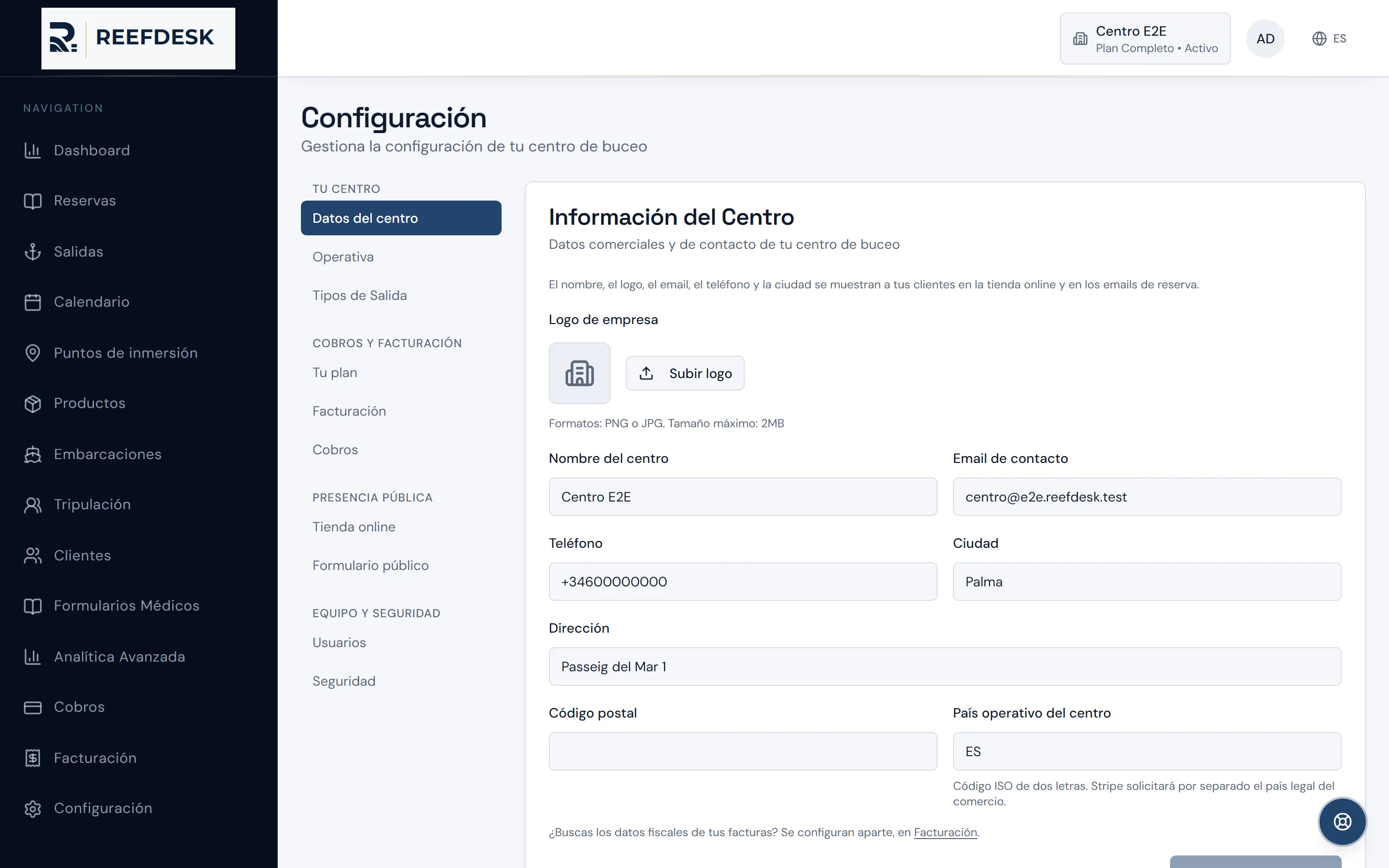
What to fill in
Section titled “What to fill in”- Center name. The trading name, as you want a customer to see it. It appears in the store header and in emails.
- Contact email. Where your customers’ replies and notifications arrive. Use a mailbox someone reads every day.
- Phone, city, address and postal code. The phone and city appear in the public store and in emails. The address is the operational one — where you receive divers — which may differ from the fiscal address.
- Dive center operating country. Two-letter code (ES, PT, IT…). Stripe will ask separately for the business’s legal country, which may be a different one.
- Logo. Optional, but it changes the look of the store a lot. PNG or JPG, 2 MB maximum. Best with a transparent background.
How to know it is done
Section titled “How to know it is done”In the Your setup list in the application, the “Set up the center details” step is ticked automatically as soon as a name and email are saved. You don’t have to confirm it by hand: ReefDesk works it out from your real data.
Next: Billing profile