Your product catalog
A product is what the diver understands: “Try Dive”, “Open Water”, “2 boat dives”, “Nitrox”. It is not a departure or a seat: it is what gets bought.
Before you start
Section titled “Before you start”- Permissions: edit permission on Products.
- Have to hand: the list of what you sell, with prices.
- Decide each product’s type before you create it: changing it afterwards is the hardest thing to undo.
Where: Products (app.reefdesk.io/products).
If you haven’t read Departures and product types yet, do so before creating the first one. Choosing the wrong type is the hardest thing to undo.
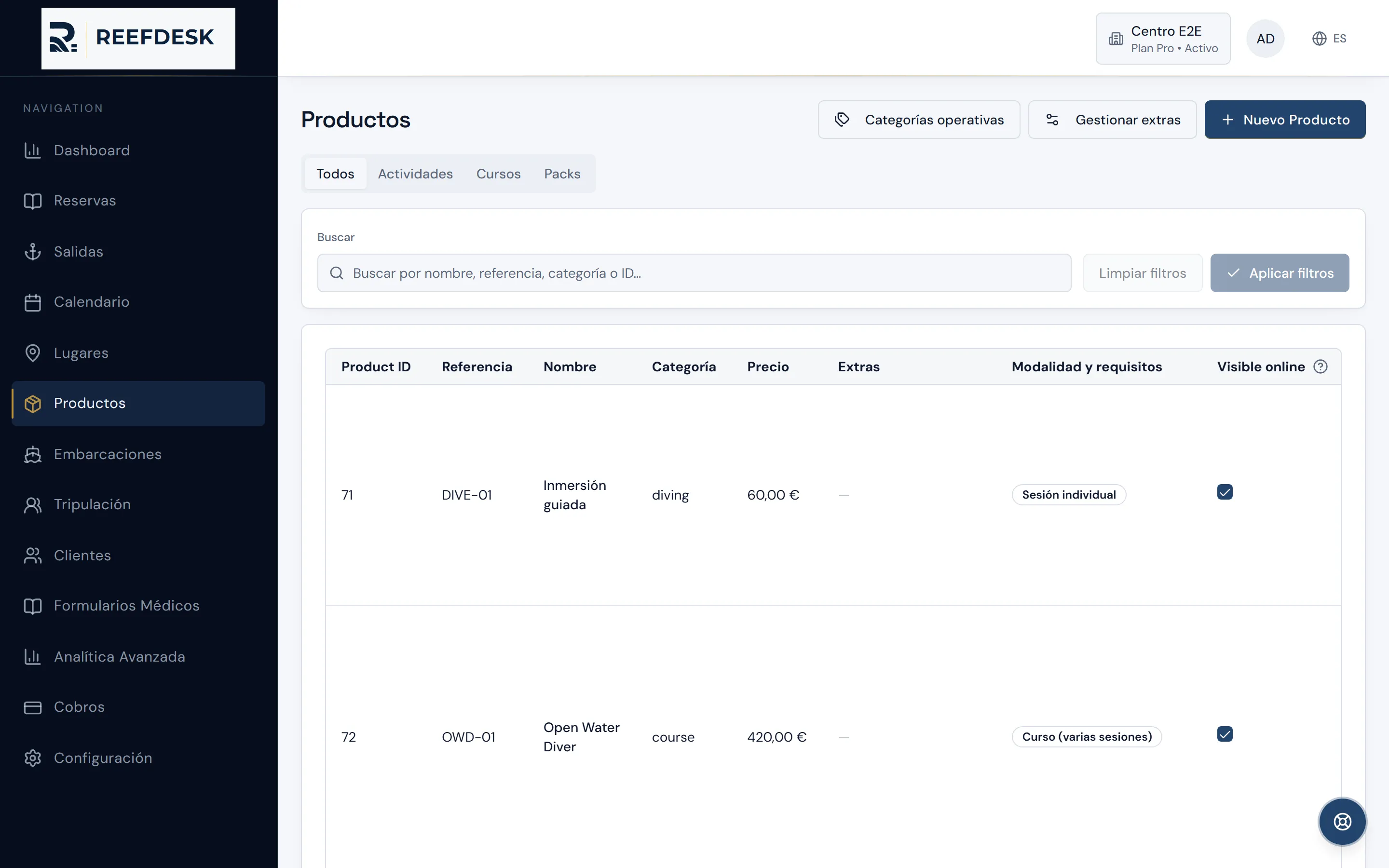
Create the first one
Section titled “Create the first one”- Product name. Short and clear, in the language of your usual customers. This name appears on bookings and in the store.
- Product type. Activity, pack, course or charter. It determines how the product is sold and how it is placed on the calendar.
- Price. It is the reference for the front desk and for calculating amounts on bookings. You can refine it later with rates and extras.
- Visible in online store. Turn it on only if you want customers to be able to book it online. If you leave it off, the front desk can still use it for manual bookings.
- Save.
Two things people forget
Section titled “Two things people forget”Availability. A product that is visible in the store but has no availability appears in the storefront, and the customer cannot choose a time slot. Use the availability button (🕐) on the product to define days, time slots and seats.
Translations. The store detects the language of the customer’s browser. If you receive divers from several countries, translate the name and description: a German customer will see Schnuppertauchen where a Spanish one sees Bautismo. It is on the same product page.
When you want to refine
Section titled “When you want to refine”Two things you don’t need on day one but that change the catalog a lot:
- Rates — different prices by participant type, season or group size, without duplicating the product.
- Extras and images — add-ons such as equipment rental or Nitrox, and photos so the customer recognizes what they are buying.
Next: Delete the sample data