Your first booking
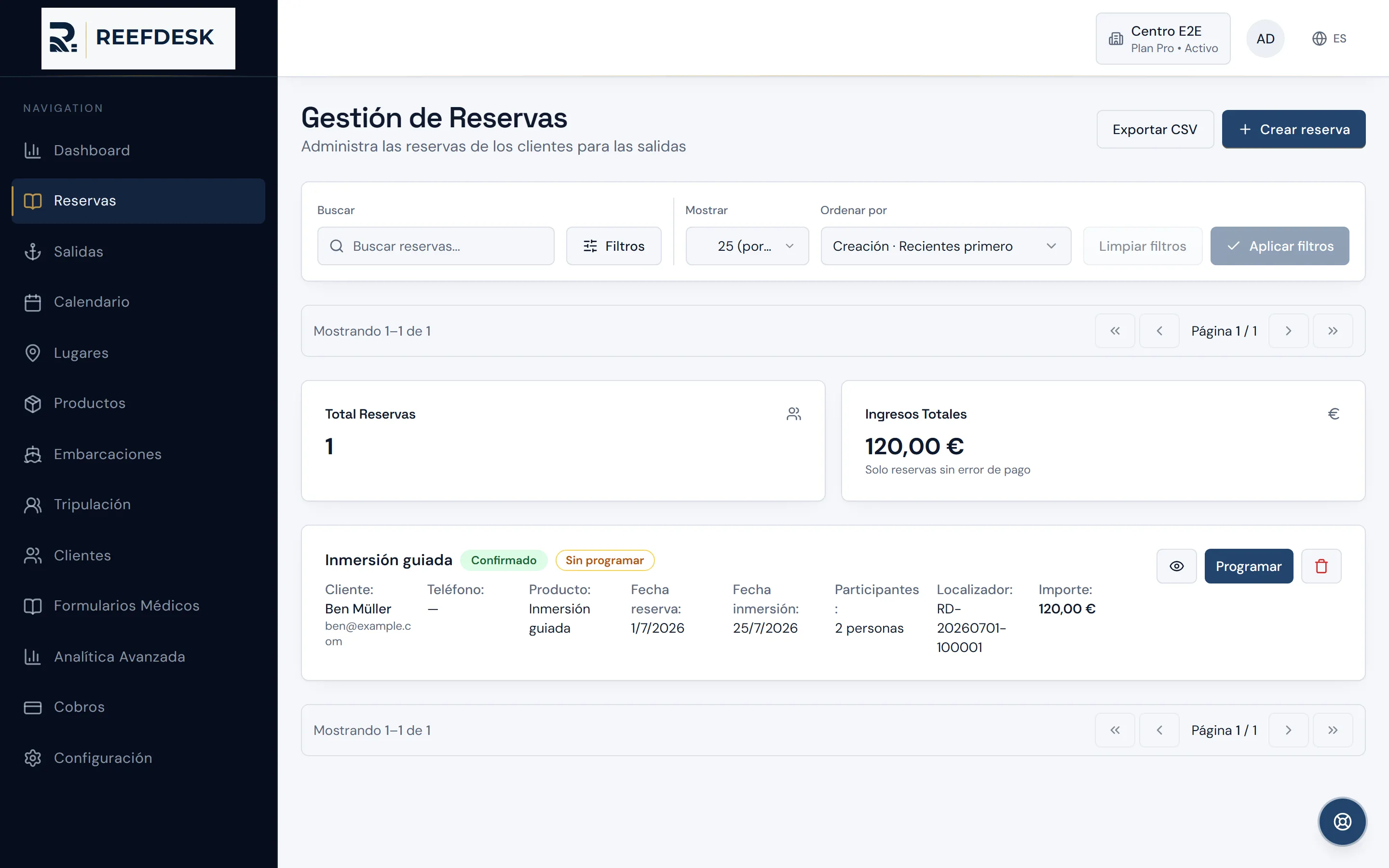
Bookings from your online store appear here automatically. But the front desk also needs to create them by hand: when a customer phones, writes or turns up at the counter.
Before you start
Section titled “Before you start”- Permissions: edit permission on Bookings.
- Prerequisite: at least one product created.
- Have to hand: the customer’s name, email and phone.
Where: Bookings (app.reefdesk.io/bookings).
We are going to create a manual one so you can see the whole flow: click Create Booking.
The form, field by field
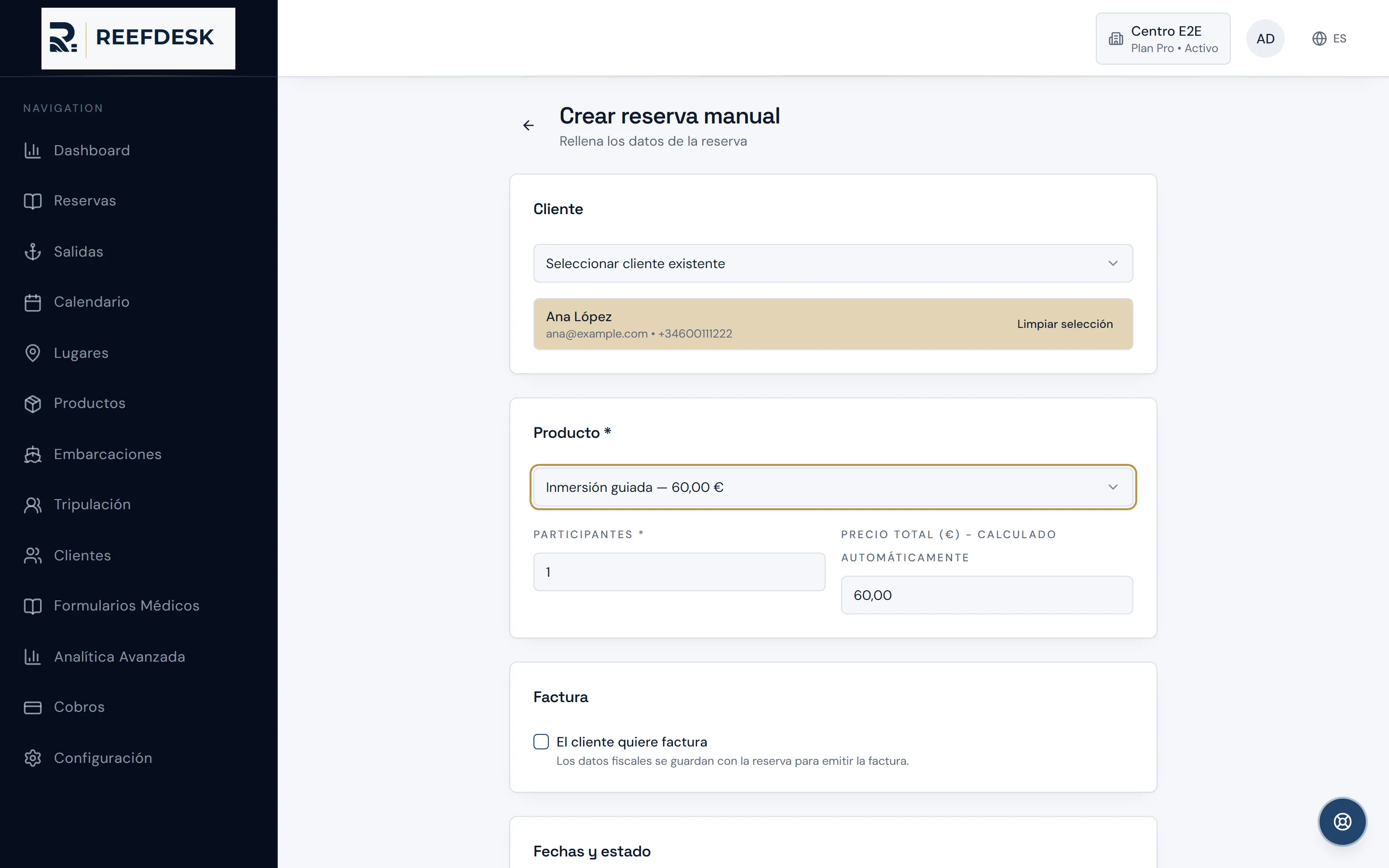
Section titled “The form, field by field”- Customer. Search for them in your database or create them on the spot. Every booking needs a person: that is what makes it possible to track certification and the medical form.
- Product. What they are booking. ReefDesk uses its price as the reference.
- Participants. How many seats it takes up. The Total price is calculated automatically, but you can adjust it (discounts, agreed price).
- Dive date (check-in). In the Dates & status block: the day the customer goes into the water. It is the date you use to filter “who is going out today” and the one check-in is coordinated around.
- Status. Pending, confirmed or cancelled. The front desk uses it to prioritize before the boat leaves.
- Click Create Booking.
After creating it
Section titled “After creating it”The booking exists, but it is not yet placed on a specific departure in the calendar. From the booking page you can schedule it: choose the day and the departure that customer goes on.
Bookings that come in through the store arrive in the same format, so the team works the same way wherever a booking comes from.
What about the invoice?
Section titled “What about the invoice?”If the customer asks for one, you issue it from the booking itself — whether you created the booking or it came from the online store with the “I need an invoice” box ticked. Both flows, step by step, in Invoices.
Taking payment for a booking
Section titled “Taking payment for a booking”From the booking page you can record the payment and choose how the customer pays: cash, card or a Stripe payment link. The payment status the front desk sees is derived from the payments recorded.
Next: Medical forms